An employment contract, a lease or a school form arrives as a PDF with one line: "Please sign and send it back." You could print it, sign with a pen and photograph it, or you could put your signature on the file in a minute. Then there is a third option you hear about in official dealings: the "electronic signature" or "digital signature". Are these the same thing, and which one does your document need? To answer with evidence rather than guesses, we signed a test agreement both ways, then changed the amount after signing, copied the signature out of it and re-saved it with other software. Here is what happened to each signature.
The short answer
A signature image on a PDF, whether drawn, typed or photographed, is like a pen signature on a scanned page. It's fine for most everyday paperwork between people and businesses, and Sign PDF adds one in a minute. But it doesn't prove the file is unchanged since you signed, and it can be copied. A certificate-based digital signature is tied to the file's content and exposes any later change. If a government body or bank asks for an "electronic signature", ask which method it accepts. Usually it happens inside its own platform or through your digital ID app.
Three different things called a "signature" in a PDF
One word, three technically very different things:
- A signature image: you draw with your finger, type your name, or upload a photo of your signature on paper. The result is a picture placed on the page. Most free "sign PDF" tools, ours included, do this.
- A digital (certificate-based) signature: it has nothing to do with how your signature looks. The software computes a fingerprint of the file's content and encrypts it with a private key tied to a digital certificate that carries your identity. A visible box may appear on the page, or nothing at all; what matters is the data hidden in the file.
- Signing through a platform: you log in to a government, bank or e-signature platform and prove who you are (with a digital ID app or a verification code). The platform records your consent and issues the signed document, usually digitally signed with the platform's certificate.
Most problems come from mixing up the first two: someone puts a signature image on an official form and it's rejected, or someone re-saves a digitally signed file with another tool and breaks the signature without noticing.
Our test: one agreement, two ways to sign
We made a short services agreement in Arabic with made-up names and a made-up amount (4,500 riyals), then:
- Signed one copy with Sign PDF in all three ways: drawing with the mouse, typing a name, and uploading a signature image as PNG, JPG and WebP.
- Digitally signed another copy with a test certificate we created ourselves, using pyHanko, a library built for PDF digital signatures.
- Checked every copy with two signature validators: pdfsig and pyHanko's validator.
- Changed the amount to 9,500 riyals in both copies, tried copying the signature, and re-saved the digitally signed copy with other software.
| What we tried | Signature image | Digital signature |
|---|---|---|
| Is the agreement's text unchanged? | Yes, the extracted text matches the original exactly | Yes |
| Does a validator know the file is signed? | No: "does not contain any signatures" | Yes: signer name, signing time, "Signature is Valid" |
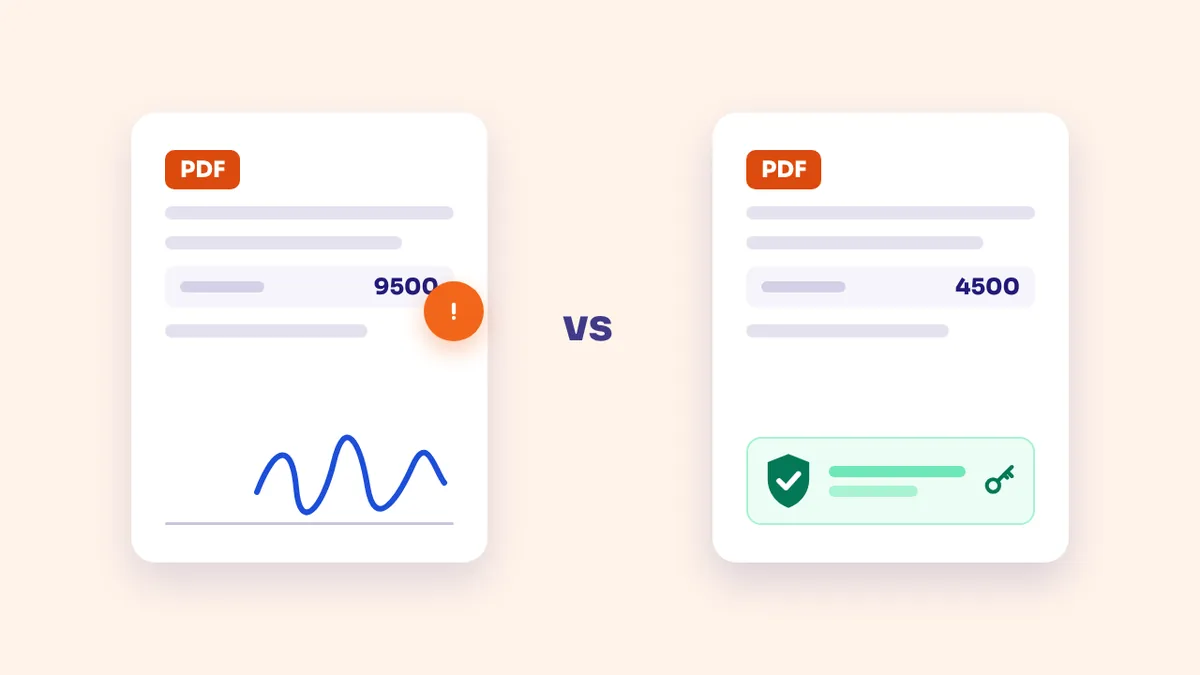
| Amount changed to 9,500 after signing | Changed silently; the signature still sits under an amount nobody signed | The validator flagged it: the file was modified after signing, and we recovered the original signed version intact |
| Copying the signature | One command extracted the signature as a PNG, ready to paste into any document | The signature value is computed from this file's content, so moving it to another file means nothing |
| Re-saving with another tool | Nothing affected | Signature broken: it no longer covers the file |
| Effect on file size | No growth (29.6 → 26.5 KB after re-saving) | About 8 KB more |
The amount row says the most. In the image copy, we covered the old number with a white rectangle and typed a new one on top, so the file now said 9,500 riyals with the same signature underneath, and no software objected, because the file doesn't know it's "signed" at all: it's a page with a picture on it. In the digitally signed copy, we made the same change. The signature stayed mathematically valid for the version that was signed, but the validator reported "Not total document signed" and that the file was modified after signing. We could even cut the signed part out of the file and get the original back, byte for byte, still saying 4,500 riyals.
In other words, a digital signature doesn't stop anyone editing the file, but it makes the edit visible and preserves what you actually signed. A signature image does neither.
When a signature image is enough
A signature image isn't "weak" across the board. It does the job of signing paper with a pen and photographing it, which many organisations accept every day. It's usually enough for:
- Internal approval forms, leave requests and acknowledgements of receipt.
- School permission slips, and sign-up forms for clubs and courses.
- Quotes and simple agreements between individuals or with a service provider, when both sides know each other and each keeps a copy.
- Any form where the recipient explicitly says "signed and scanned" is fine.
The practical rule: if the recipient would accept a pen-signed page photographed with your phone, they will almost certainly accept your signature image on the file, and the result is cleaner than a camera photo.
When you need a digital signature or a platform
- When the recipient asks for one explicitly. That's always the first test.
- High-value or long-term contracts, where you care about being able to prove the exact text you signed if there's ever a dispute.
- Banking and government transactions, which normally happen inside the organisation's own platform: it verifies your identity, then signs the document with its certificate.
- Documents that will pass through many hands, where everyone who opens them should be able to tell they haven't changed since signing.
Electronic signatures in Saudi Arabia and the UAE: what the rules mean in practice
In Saudi Arabia, the Electronic Transactions Law (Royal Decree No. M/18 of 1428 AH) gives electronic transactions and signatures legal effect, and a document doesn't lose its validity just because it's electronic. But the implementing regulations tie a signature's reliability to a digital certification certificate issued by the National Center for Digital Certification or a licensed certification service provider. In other words, the signature official bodies rely on is the second kind in our test, not a picture on the page.
In the UAE, Federal Decree-Law No. 46 of 2021 on Electronic Transactions and Trust Services governs the area, and the Telecommunications and Digital Government Regulatory Authority licenses the trust service providers that issue e-signatures, e-seals and digital certificates. In practice, many people use the UAE PASS digital ID app to sign documents through the platforms connected to it.
What this means for you: when an organisation in the Gulf asks you for an "electronic signature" on an official transaction, it usually doesn't want a PDF with your signature image on it; it wants you to sign inside its platform or with your digital ID app. Everyday paperwork with your employer, a school or a landlord usually accepts a signature image. This article is an explanation, not legal advice; rules vary by transaction and organisation, so ask the organisation itself when in doubt.
If a signature image is enough: sign in a way that protects you
With a signature image the file won't protect you, so let your habits do it:
- Read the whole file before signing, check amounts, dates and names, and fill in every blank. Signing a form with gaps means someone else will fill them.
- Pick the right method: on a phone, drawing with your finger gives the closest result to your real signature. If you have a photo of your signature on paper, upload it as it is. In our test PNG, JPG and WebP all worked, and the tool removes the white background from images without transparency so the paper doesn't cover the form's lines.
- Put the signature where it belongs: Sign PDF places it in one of seven preset spots (the corners, top and bottom centre, and the middle of the page). In our test the signature line was mid-page, so the signature landed in the corner, far from it. To place it exactly on the line, use the PDF Editor: choose "Sign" and click where you want it.
- Sign every page if asked: some contracts want a signature on each page. We signed the first page and then every page of a five-page file, and the size grew by less than one kilobyte, because the signature image is stored once and shown on each page.
- Keep your copy: a signature image doesn't record the text you signed, so your saved copy is your evidence. Keep the exact file you sent, along with the message you sent it in.
- Send it only to whoever needs it: we saw that one command extracts the signature image. If the file will pass through many people, protect it with a password using Protect PDF and send the password by a different channel.
Received a digitally signed file? Don't break its signature
This is where people slip up most. Our test turned up a result few would expect: when we added our signature image to the digitally signed copy with the signing tool, the original digital signature broke. The reason is that this tool, like most online PDF tools, rewrites the whole file when saving, which changes the bytes the signature's fingerprint was computed from. The same happened when we re-saved the file with an ordinary command-line program without changing any content.
So if you receive a contract the other party signed digitally:
- Don't compress it, merge it with other files, or add your signature image with a general tool. All of these rewrite the file.
- If you're asked to sign it too, sign in the same platform that sent it, or with software that supports digital signatures and adds yours as an update to the file instead of rewriting it.
- If you need a compressed or merged copy for an upload portal, make it from a second copy, and keep the signed original untouched to send whenever a signed file is required.
We made the same point in Unlock a PDF, because removing protection also re-saves the file.
Frequently asked questions
Does a signature image on a PDF have legal value?
Roughly the value of a pen signature on a scanned page: it's evidence of your consent, presented alongside other evidence such as messages and sending records, but on its own it doesn't prove the text is unchanged since you signed. What each organisation accepts varies, so ask for official transactions. This isn't legal advice.
How can I tell whether a PDF is digitally signed?
Open it in software that shows signatures, such as the free Adobe Acrobat Reader on a computer: a bar appears at the top and the Signatures panel shows the signer's name, whether the signature is valid and whether the file changed afterwards. A signature image on the page doesn't mean the file is digitally signed. In our test, the validator said the image copy "does not contain any signatures".
Does your site upload my file or my signature image to a server?
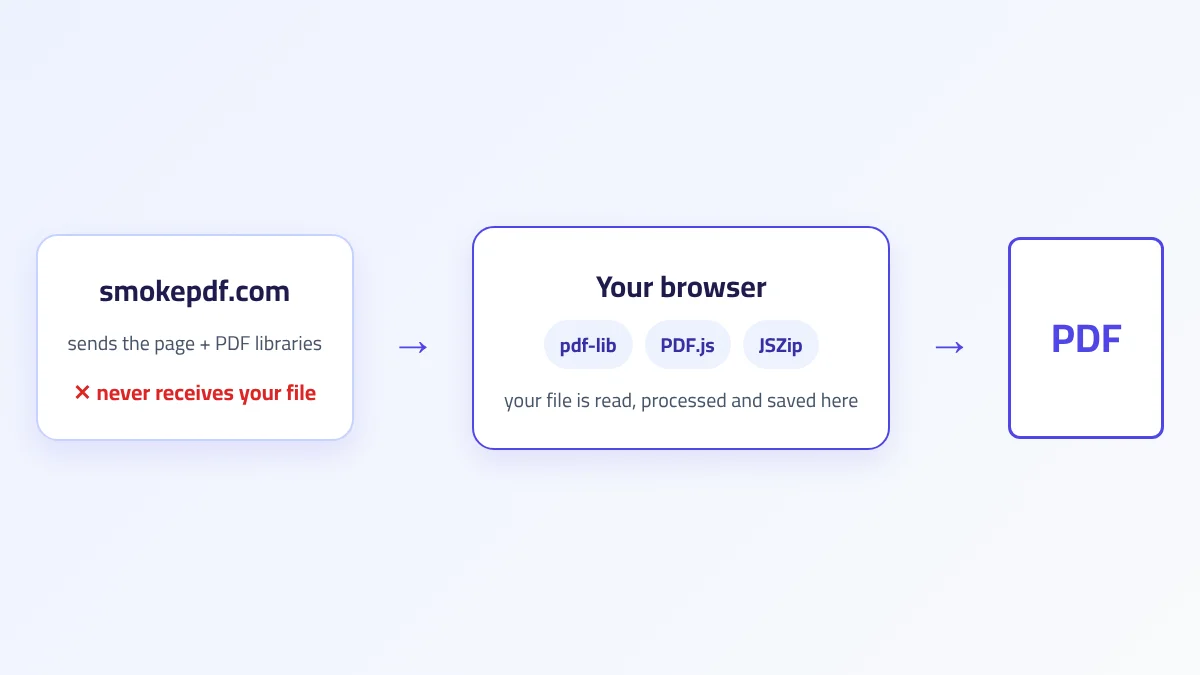
No. The signature is drawn and added to the file in your browser, and neither the file nor the signature image is sent anywhere. We explain how this works in How In-Browser PDF Processing Works.
Why doesn't your tool add a certificate-based digital signature?
Because a recognised digital signature needs a certificate carrying your identity, issued by a licensed certification authority and held by you or by the platform that verifies you. A signature made with a certificate no recognised authority issued, like the one we created for the test, shows up in validators as "Certificate issuer isn't Trusted", so it adds no real trust. That's why we present the signature image plainly as an image, and point you to the organisation's platform when you need a recognised signature.
Can I remove my signature image from the file after sending it?
From your copy, yes. The copy the other side received is theirs, and whoever holds the file can delete or copy the image, as we did in the test. So don't put your signature on a file until you're sure of its content and of who it's going to.
The takeaway
A signature image is a quick, widely accepted way to sign everyday paperwork, but it's only a picture: the file underneath can be edited and the image copied without any software objecting, so protect yourself by reading before you sign and keeping your copy. A digital signature doesn't prevent edits, but it exposes them and preserves what you signed. That is what official bodies in Saudi Arabia and the UAE mean when they ask for an "electronic signature", and it usually happens through their platform or your digital ID app. And if you receive a digitally signed file, don't run it through tools that re-save it, or you'll break the signature without noticing.