When do you need to convert PDF to JPG?
Some platforms only accept images: posting a page of a report on social media, sending a document through a chat app that previews images inline, dropping a page into a presentation or a design, or uploading a certificate to a field that only takes JPG. Converting gives you every page as a separate image.
How the conversion works
The tool opens the file with PDF.js, draws each page on a white background and saves it as a high-quality JPEG. All pages are bundled into one ZIP with ordered names, page_001.jpg, page_002.jpg and so on, so they stay in order after extraction.
Choosing the resolution
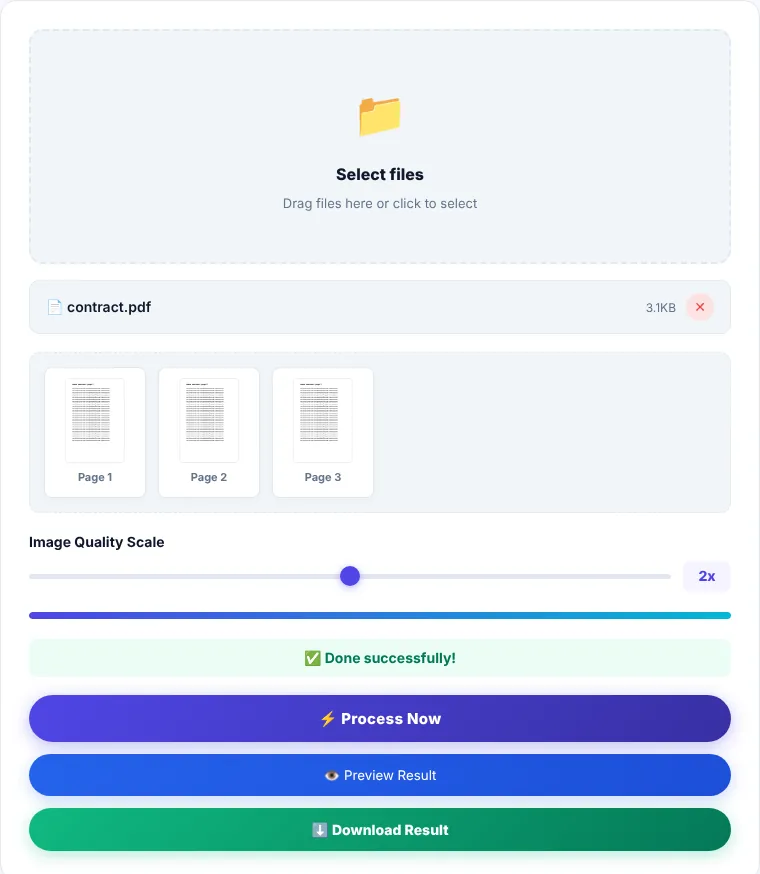
The "Image quality" slider sets how large each page is drawn compared with its original size:
- 1x: a small, light image, fine for viewing on a phone or in chats.
- 2x (default): a good balance between sharpness and size, suitable for posting and presentations.
- 2.5x and 3x: for printing or zooming in on small text, but files get much larger and conversion takes longer.
How to convert PDF to JPG
- 1Choose a PDF or drag it onto the box.
- 2Move the quality slider to the resolution you need.
- 3Click "Process now" and wait for the progress bar. Long files take more time because each page is drawn separately.
- 4Preview the images, then download
pdf_images.zipand extract it.
JPG or PNG?
JPG suits pages with photos and smooth color gradients and produces smaller files. For pages with crisp text and fine line drawings that need sharp edges, or when you need a transparent background, PDF to PNG is the better choice.
Limitations
- Every page of the file is converted. If you only need one page, pull it out first with Extract Pages.
- Text in the output images can't be selected or searched; it's part of the picture.
- Password-protected files won't open. Remove the password first if you know it.
- A file with hundreds of pages at high resolution can use a lot of memory on a phone. Split it first or lower the resolution.
Where is the processing done?
Rendering and conversion happen in your browser. The file is not sent to our servers.
PDF to JPG: frequently asked questions
Why are the images so large?
Because the resolution is high. Move the slider down to 1x or 1.5x if the images are only for sharing on a phone.
Are the original colors kept?
Yes, pages are drawn in their own colors. Transparent areas turn white, since JPG doesn't support transparency.
How do I turn the images back into a PDF after editing them?
Use JPG to PDF and add the images in the order you want.
Can I convert a scanned file?
Yes. Scanned files convert well because they are already images inside a PDF.