When do you need to split a PDF?
When one file holds several separate documents: an office scanner that put twenty invoices into a single PDF, a 200-page textbook you want as separate chapters, or a yearly bank statement you'd like one month per file. Splitting turns a long file into smaller ones that are easier to send and archive.
How splitting works in this tool
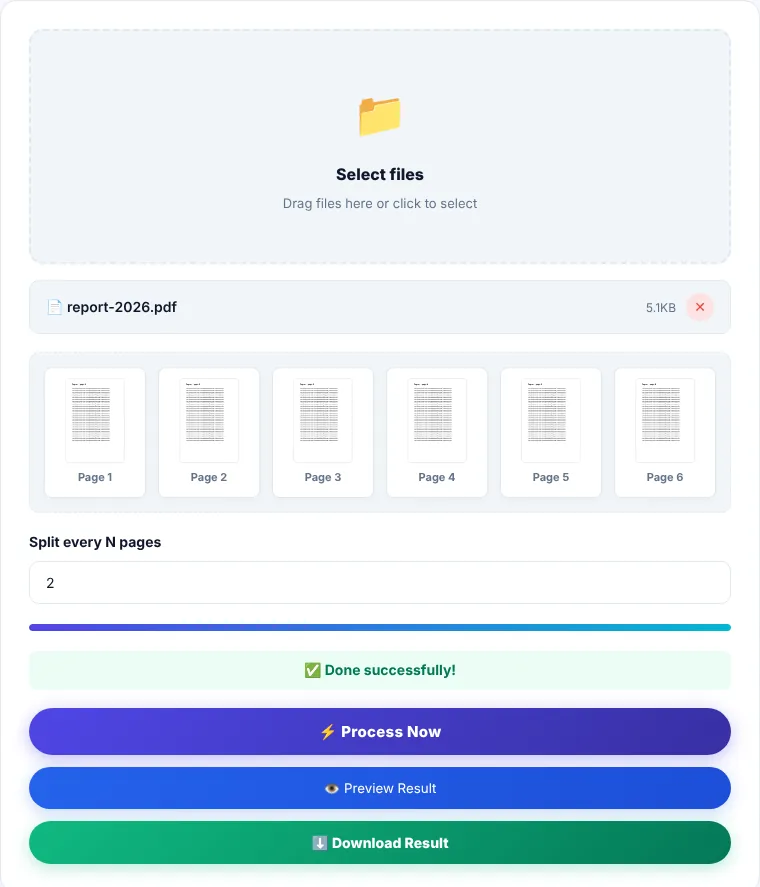
The tool cuts the file into equal parts based on one number you set: "Split every N pages".
- N = 1: every page becomes its own file. Good for invoices and receipts scanned one per page.
- N = 2: two pages per file. Useful for two-sided cards and documents (front and back).
- N = 10 or more: to cut a long book or report into parts small enough for email.
If the page count isn't divisible by N, the last part takes the remaining pages. For example, a 25-page file with N = 10 gives three parts of 10, 10 and 5 pages.
How to split a PDF
- 1Choose a PDF or drag it onto the box.
- 2Enter how many pages each part should have in "Split every N pages".
- 3Click "Process now".
- 4Download the result: a
split_pages.zipfile containingpart_1.pdf,part_2.pdfand so on. Double-click it on a computer, or open it in your phone's Files app, to extract the parts.
When the parts aren't equal
Equal splitting doesn't fit every case. If chapter one is 12 pages and chapter two is 30, use Extract Pages instead: enter 1-12 to get the first chapter, then 13-42 for the second. If you only want to drop certain pages and keep the rest in one file, use Remove Pages.
Limitations
- It works on one file at a time.
- Bookmarks (the side outline) are not carried into the parts, but page content stays exactly as it was, with no loss of quality.
- Password-protected files may produce blank parts. Remove the password first with Unlock PDF.
Where is the processing done?
Splitting runs in your browser with pdf-lib, and the parts are packed into a ZIP with JSZip on your device. The file is not sent to our servers.
Split PDF: frequently asked questions
Why do I get a ZIP file instead of PDFs?
Splitting produces several files, and a browser downloads one file per click. The ZIP bundles them into a single download.
Does splitting change page quality or size?
No. Pages are copied as they are. The parts together may be slightly larger than the original because each part carries its own copy of the fonts it uses.
How do I open a ZIP on my phone?
On Android, open it in the Files app and choose "Extract". On iPhone, tapping it in the Files app unpacks it automatically.
Can I choose the names of the parts?
Parts are numbered automatically in order. You can rename them after extracting.