When do you need to merge PDFs?
The most common case: an online application portal (a scholarship, university enrollment, a visa file, a job application) accepts a single upload, but your documents are scattered across several files: your ID scan in one, proof of address in another, your diploma in a third. Merging puts them into one ordered file you can attach once.
It also helps when you need to send a month of invoices to your accountant as one document, join report chapters that were written separately, or add a cover page to an existing file.
How to merge PDF files, step by step
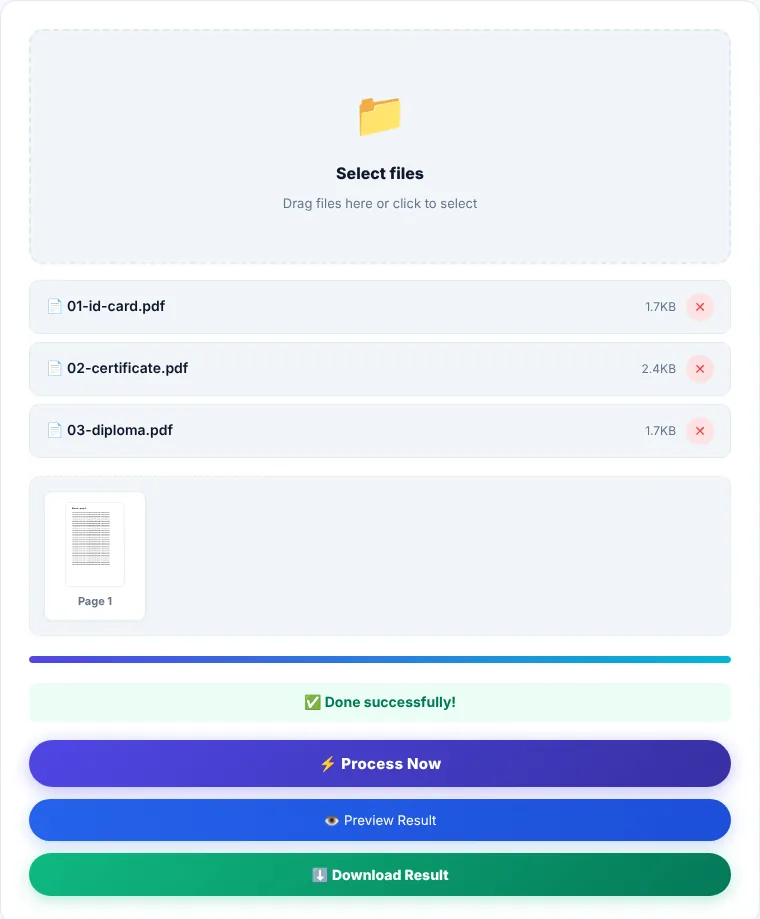
- 1Click "Select files" and select all your PDFs at once, or drag them onto the box. You can add more files later; they are appended to the end of the list.
- 2Check the list below the box. Each row shows the file name and size, and the order you see is the page order of the final document.
- 3Click "Process Now". Your browser reads each file and copies its pages into a new document while the progress bar fills.
- 4Use "Preview Result" to check the order, then "Download Result" to save the file as
merged.pdf.
Controlling the page order
Files are merged in the order you add them. The list does not currently support drag-to-reorder, so:
- Add files one at a time in the order you want, or prefix their names with numbers (01, 02, 03) before selecting them, since the file picker sorts names alphabetically.
- If one file is in the wrong place, remove it with ✕ and add it again; it moves to the end of the list.
- To reorder individual pages rather than whole files, merge first and then use Organize PDF.
If you select the same file twice (same name and size), the second copy is ignored so its pages are not duplicated.
What does not carry over
- Password-protected files: the merged result may contain blank or broken pages. Remove the password first with Unlock PDF if you know it.
- Bookmarks (the side outline): page content is copied in full, but each file's bookmark outline is not transferred to the new document.
- Fillable forms: some fields may stop being editable. Fill in and save the form before merging.
- Very large files on a phone: every file is loaded into the browser's memory. A very large total, especially on older phones, can make the page stop responding. Desktop browsers handle much more; if it happens, merge in smaller batches.
The output is roughly the sum of the input sizes. If a portal has an upload limit, run the result through Compress PDF.
Where is the processing done?
Merging runs inside your browser using the pdf-lib library, and your files are not sent to our servers. You can check this yourself: once the page has loaded, disconnect from the internet and try a merge. It still works.
Merge PDF: frequently asked questions
How many files can I merge at once?
The tool sets no fixed number. What matters is the total size and your device's memory: twenty small files are easier than two 80 MB scanned documents.
Does merging reduce quality?
No. Pages are copied as they are, without recompressing images or converting text, so they match the originals.
Can I merge JPG images with PDFs?
Not directly in this tool. Convert the images with JPG to PDF first, then merge that file with the others.
Why are some pages blank in the merged file?
Usually one of the inputs is password-protected or partly damaged. Open each file on its own to check, unlock the protected one, and merge again.
Can I add just one page from another PDF?
Extract that page first with Extract Pages, then merge it with your document.