When do you need to sign a PDF?
You've received a lease, a membership form or a school permission slip as a PDF, and you need to sign it and send it back. Instead of printing, signing with a pen and scanning, you put your signature on the file directly and send it in a minute.
Three ways to create your signature
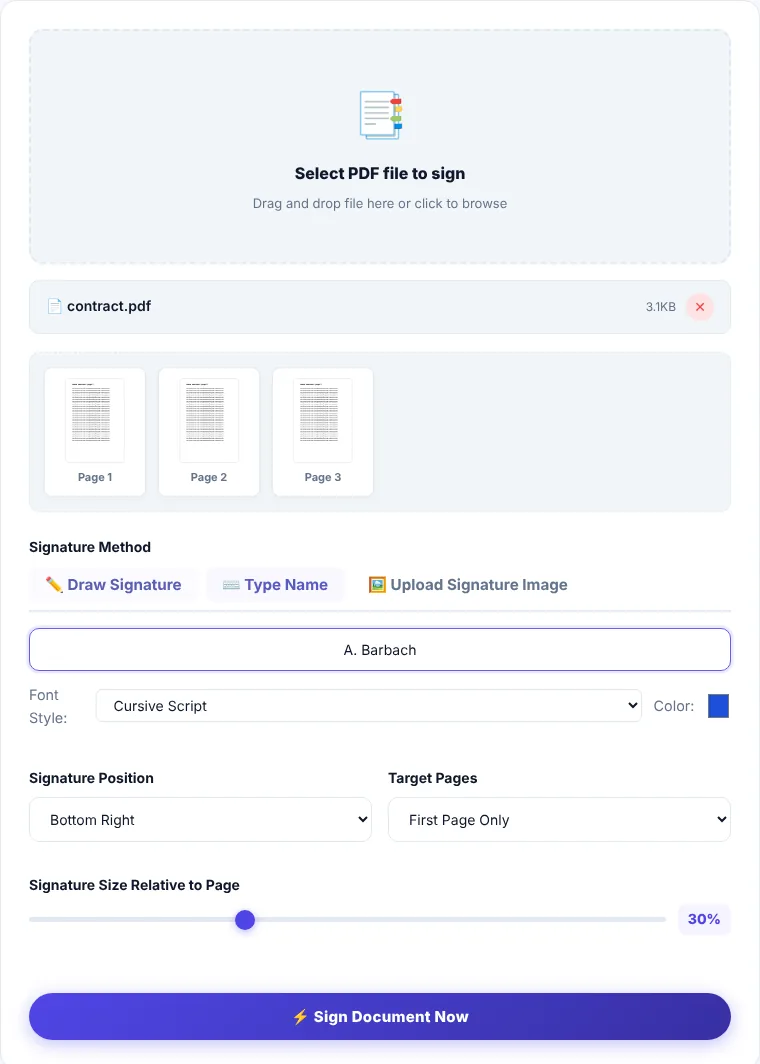
- Draw: draw your signature with a mouse, or with your finger on a phone, inside the box. On a phone the result is closer to your real signature.
- Type: type your name and choose a style (cursive or bold) and a color.
- Upload an image: sign a blank sheet, take a photo, and upload it (PNG, JPG or WebP). A PNG with a transparent background gives the cleanest result.
Where and on which pages the signature goes
- Position: seven preset positions: the four corners, top and bottom center, and the middle of the page, with a small margin from the edge.
- Pages: the first page only, every page (useful for contracts that require initialing each page), or specific pages such as
1, 3, 5-8. - Size: a slider that sets the signature width as a share of the page width.
How to sign a PDF
- 1Choose the PDF you need to sign.
- 2Create your signature using one of the three methods.
- 3Set the position, pages and size.
- 4Click "Process now", preview the file to make sure the signature doesn't cover important text, then download it.
Is this a legally certified electronic signature?
The difference matters. This tool places an image of your signature on the page, just as if you signed with a pen and scanned the paper. That is accepted for many everyday transactions: internal forms, approvals, leases and service agreements between individuals.
It is not a qualified or certificate-based digital signature issued through an accredited certification authority, which some official, administrative and banking procedures require. If a formal process asks for an "electronic signature", check which kind they accept before sending. Rules differ from country to country.
Where is the processing done?
Your signature is drawn and added to the file in your browser. Neither the file nor your signature image is sent to our servers.
Sign PDF: frequently asked questions
Can I place the signature somewhere other than the preset positions?
For now the tool offers seven fixed positions. Pick the one closest to the signature line on your form, and adjust the size so it doesn't cover text.
How do I make the background of a photographed signature transparent?
Photograph it on bright white paper in good light; a white background nearly disappears on white pages. For a fully transparent background, remove the background in an image editor and save it as PNG.
Can someone copy my signature from the file?
Yes. Any signature image inside a PDF can be copied, just like a scanned signature. Only send signed files to the people who need them, and consider adding a password with Protect PDF.
Does the PDF stay fillable after signing?
Usually yes, but fill in the fields before signing so you can check the final result.