When do you need to convert Word to PDF?
When you want to send a document that looks the same on the other end and isn't easily edited: an application, a cover letter, or a university paper that must be submitted as PDF. Most organizations prefer PDF because it opens the same way on every device.
How this tool works, and what it carries over
The tool reads your .docx file inside your browser and lays out its pages the way you designed them: the page size and margins from the document itself, headings, bold and italic text, tables, images, bulleted and numbered lists, and right-to-left Arabic text. It then splits the content into pages at the end of a paragraph or table row, so no line is cut between two pages.
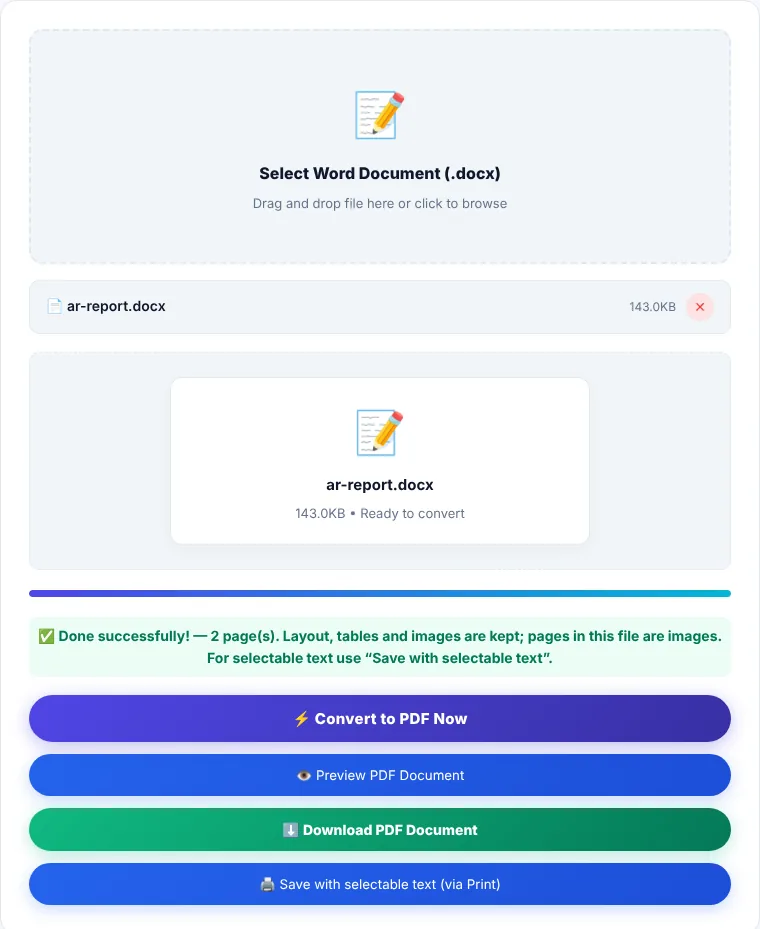
After converting you get two options:
- "Download PDF": a ready file straight away that keeps the layout. Its pages are stored as images, so the text can't be selected or searched, and the file is larger than a text-based PDF.
- "Save with selectable text (via Print)": opens your browser's print window. Choose "Save as PDF" instead of a printer and you get a file with real text: selectable, searchable and small.
For very complex documents (text boxes, multiple columns, headers and footers with page numbers), the most faithful result is still to save from the program you wrote it in:
- Microsoft Word: File → Save As → choose PDF.
- Google Docs: File → Download → PDF Document.
- LibreOffice: File → Export as PDF.
How to convert Word to PDF
- 1Choose a .docx Word file or drag it onto the box.
- 2Click "Convert to PDF now" and wait while the pages are laid out.
- 3Click "Preview" to check the pages, then download the file.
- 4If you need selectable text, click "Save with selectable text" and choose "Save as PDF" in the print window.
Limitations
- Only .docx is supported. Open older .doc files in Word and save them as .docx first.
- Page headers and footers (including page numbers) don't appear in the output.
- For Arabic text the tool uses the font and size Word set for it (the "Complex scripts" settings), and any fonts embedded in the file. A font that is neither installed on your device nor embedded is replaced by another one, so line lengths and page breaks can shift. Details in why Arabic fonts change when converting.
- Text boxes, drawn shapes and multi-column layouts may not look exactly as they do in Word.
- A very long document is drawn page by page and can take a while on a phone.
Where is the processing done?
Reading the document, laying it out and building the PDF all happen in your browser, using the docx-preview and pdf-lib libraries. The file is not sent to our servers.
Word to PDF: frequently asked questions
Why can't I select text in the file I downloaded?
The direct download stores pages as images so that Arabic text and the layout look the same in every PDF reader. For selectable text, use "Save with selectable text" and choose "Save as PDF" in the print window.
Are images and tables kept?
Yes. Images and tables are drawn in place as in the document, along with bold, italic and lists.
Why are the page numbers missing?
The tool doesn't draw page headers and footers. If page numbers matter, save the document as PDF from Word or Google Docs directly.
The output file is large. How do I shrink it?
Use "Save with selectable text": a text-based PDF is much smaller. Or run the downloaded file through Compress PDF with strong compression at 50–60% quality.